
Shift coverage, both sides of it
ShiftLink
On-Demand Shift Platform for Nurses
A two-sided board for healthcare shift coverage: facilities post the shifts they cannot fill, professionals browse and apply, and accepting one closes it to everyone else in the same action.
Working prototype · front-end only, no backend
- Type
- Prototype build, in-house
- Surface
- Vue 3 SPA, 18 routes
- Data
- Local fixtures, persisted to the browser
- Scale
- ~17k lines across src/
The system
What it does
Filling a shift at short notice is a phone tree. A facility knows it is short on Thursday night; somewhere there is a nurse who is free on Thursday night; between them sit a dozen calls, a group chat, and an agency taking a cut. ShiftLink is the version where both sides can see each other.
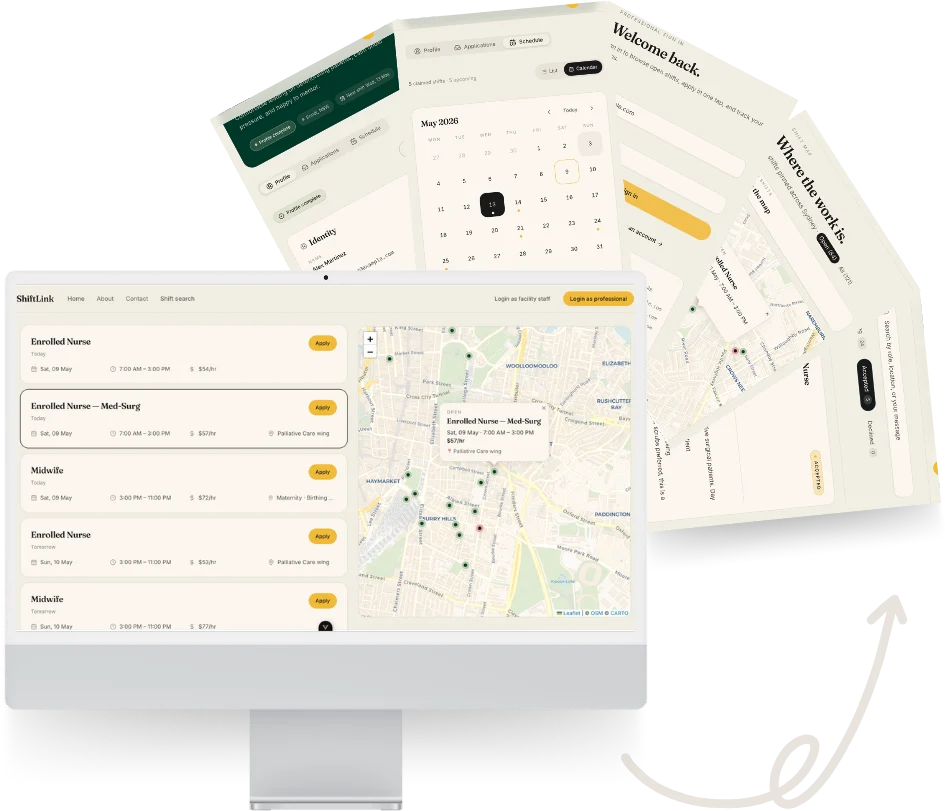
A facility posts a shift — role, date, hours, hourly rate, urgency, location. Professionals browse what is open, filter it down, and apply. Facility staff see the applicants against each shift and accept one. That acceptance is the piece worth building carefully: it marks the shift claimed and declines every competing application in the same operation, so the board cannot end up double-booked.
It is a prototype rather than a product. The data lives in fixtures and the browser rather than a database, and the login is a formality. What it demonstrates is the modelling and the interface: two audiences with genuinely different jobs, one dataset, and a state machine that has to stay consistent between them.
Who uses it
Healthcare professional
Browses and filters open shifts, applies, withdraws a pending application, and tracks their own schedule across a calendar or a list.
Facility staff
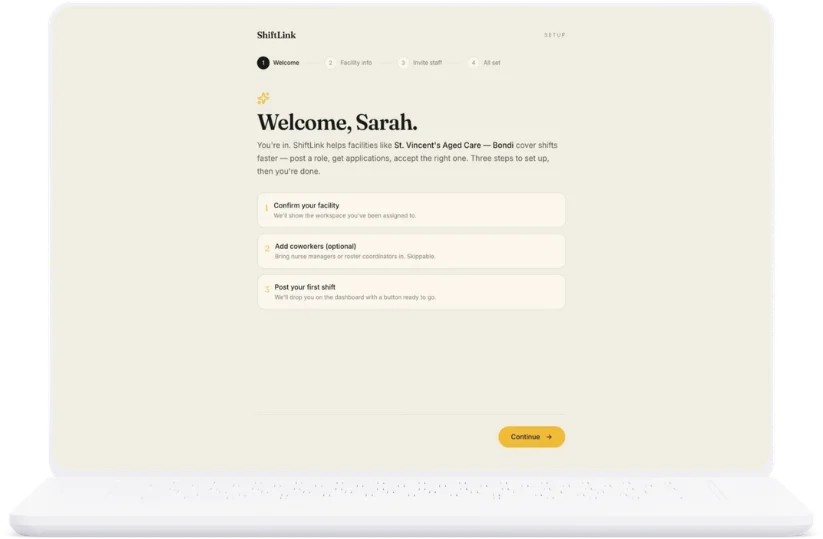
Runs a four-step onboarding, posts and edits shifts, reviews applicants per shift or across all of them, and accepts or declines.
Features
What was built
Everything listed is in the repository — not a roadmap.
- 01
Role-branched authentication
Separate registration and login for each audience, with the session driving which half of the app a person lands in. Credentials are not checked — this is a prototype, and the account exists to select a role rather than to secure anything.
- 02
Access control at the route
Guards enforce the split: a professional cannot reach the facility portal, staff cannot reach the worker dashboard, and a guest is returned to the door rather than shown an empty shell.
- 03
Acceptance as one operation
Accepting an applicant marks the shift claimed and auto-declines every competing application at once, so no two people can be accepted onto the same shift.
- 04
Shift board with live filters
Search, shift-type pills, an urgency toggle and a date picker, narrowing a board of open shifts as you go.
- 05
Applicant triage
Applications reviewable per shift, or across every shift at once for staff working through a backlog rather than a single posting.
- 06
Shift map
Leaflet map with status- and urgency-coloured pins, paired to the list beside it — selecting either side flies the map and highlights the row.
- 07
Facility onboarding
A four-step wizard covering the facility and its team, with progress kept so a half-finished setup survives a reload.
- 08
Professional profile
A dedicated edit surface that scores how complete a profile is, since a thin profile is what loses an application.
- 09
Rich-text notes
Tiptap editing for shift notes, sanitised with DOMPurify before anything is rendered back.
- 10
Hand-built date and time controls
A twelve-hour time picker and a month calendar written rather than delegated to native inputs, which render differently in every browser.
- 11
Survives a refresh
Every posting, application and decision persists to the browser, so a demo can be picked up where it was left.
Beyond the prototype
What the production system was designed to be
Specification and architecture — not built
The prototype answered whether the two-sided flow held together. The harder question in this domain is compliance: an agency’s real product is the guarantee that whoever turns up is registered, checked, and current. That work was done on paper before any of it was built.
It runs to a closed vocabulary of roughly ninety credential codes, researched against AHPRA and the NMBA, ANZCOR, NSW Health, the NDIS Commission and the working-with-children authority of every state — each with its own renewal cadence, issuing body, and a decision about whether it can be checked by API, by document upload, or only self-declared.
A credential vocabulary, not a text field
Around ninety codes covering registrations, endorsements, life support, procedural skills, mandatory training, police and NDIS checks, and immunisation — each with its renewal cadence and issuing body.
Eight states, eight checks
A working-with-children check is not transferable between states, so the model treats them as eight separate credentials rather than one national field.
Compliance enforced three times
Credentials filter what a worker can see, are re-validated when they apply, and are checked again before the shift — so a lapse between applying and working is caught rather than assumed away.
Valid until the shift ends, not until it starts
A registration expiring mid-shift is a registration that was never valid for it. The rule extends 24 hours past the end, with a scheduled job standing down applications that would lapse.
One eligibility rule, two callers
Discovery and application share a single eligibility function, so a shift can never be visible to someone who would be rejected on applying.
Identity modelled once
No parallel users table: each role extends the auth provider’s own identity one-to-one, with a database trigger making the roles mutually exclusive rather than trusting application code to.





Designed to ship on: iOS, Android, Web · Designed to run on: Supabase, Fly.io, PostgreSQL, Stripe.
Interface
The parts worth looking at
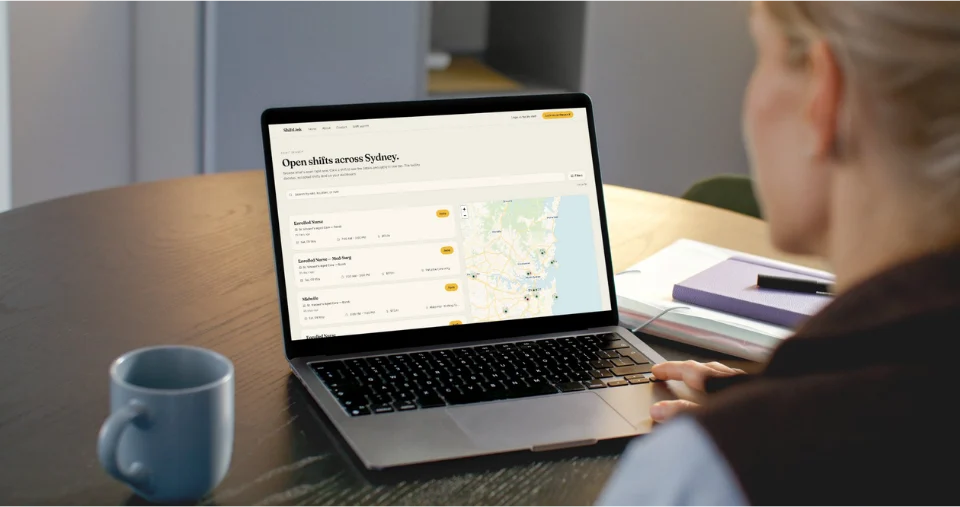
The shift board
Open shifts with filters running down the side and the map beside them — collapsing to a toggle once the screen is too narrow to hold both.
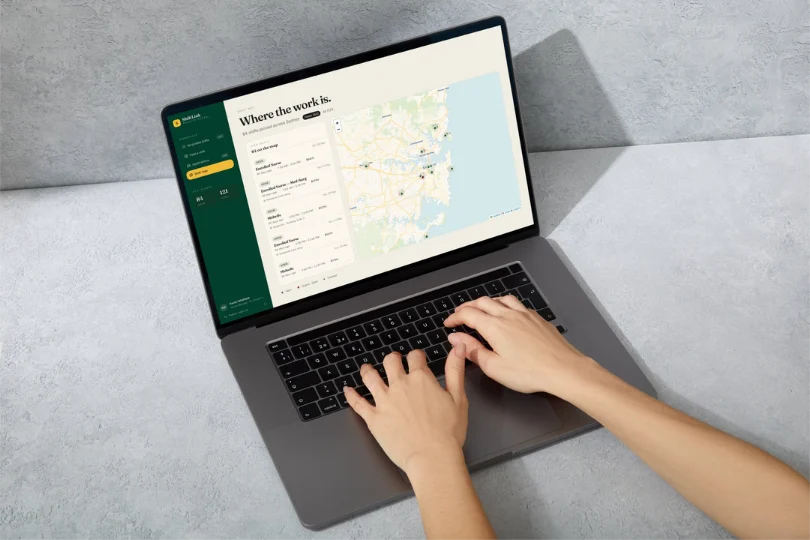
Shift map
Pins coloured by status and urgency, wired both ways to the list: click a pin to select the row, click the row to fly the map.
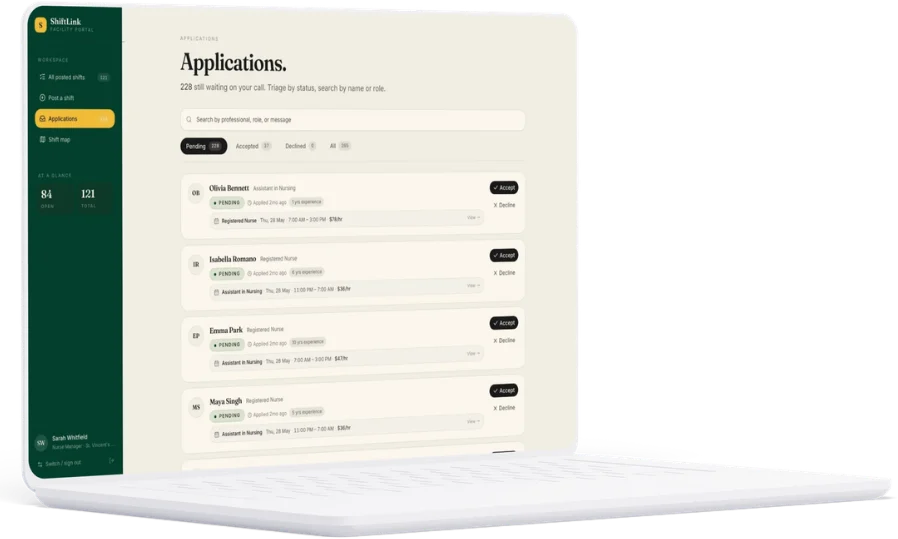
Applications triage
Every application across every shift in one queue, for staff working a backlog rather than a single posting. Accepting one closes its shift and declines the rest.
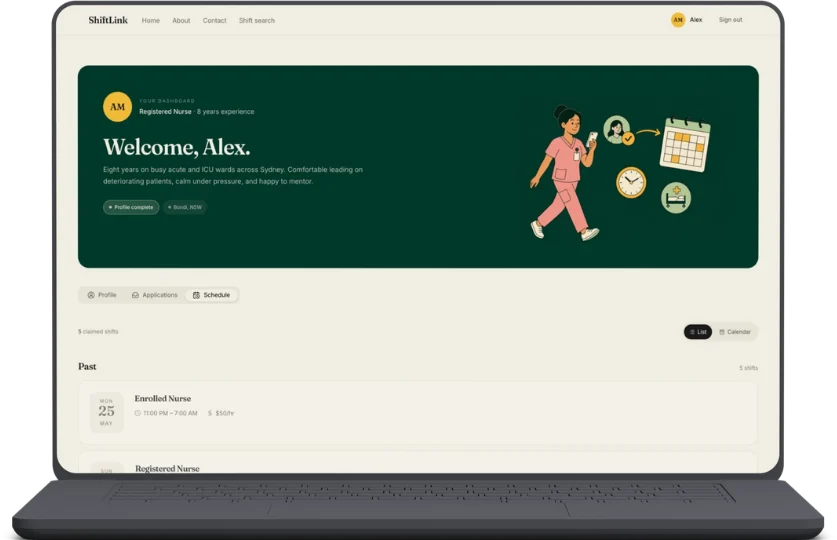
Professional schedule
A professional’s own shifts, switchable between a month calendar and a list.
Facility onboarding
The four-step setup wizard a facility runs before it can post anything.
Stack
What it was built with
Dependencies actually in use, not everything in package.json.



Framework
- Vue 3 (script setup)
- TypeScript
- Vite
- Vue Router
State
- Pinia
- Persisted state plugin
- Local JSON fixtures
Interface
- Tailwind CSS v4
- shadcn-vue / Reka UI
- Lucide
- VueUse
Specialised
- Leaflet
- Tiptap
- DOMPurify
- Firebase Hosting
Software Is Never Really “Done.” Neither Are We.
Let’s talk about how your business runs today, what a tailor-fit system could look like, and what it means to have a technology partner who doesn’t disappear after launch. Just need to hire a developer or a BI analyst? That conversation is just as welcome — and stands entirely on its own.
Two routes, one form. Say which one fits and we will reply to arrange a short discovery call — no pitch deck, no obligation.